

Version 1.0 · Windows desktop · YOLO export
Turn video into training data.
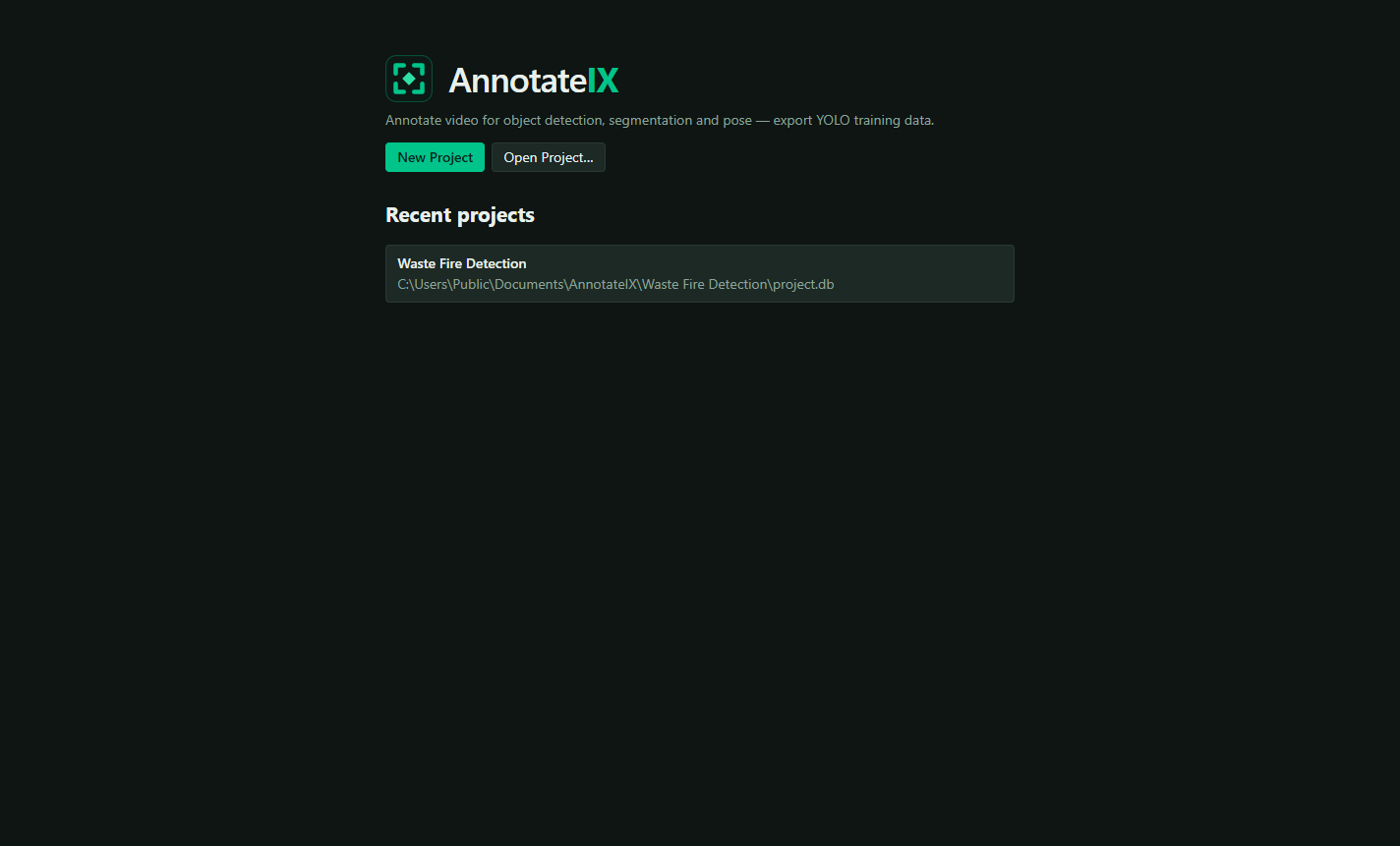
Draw a box once, adjust it when the object moves, and AnnotateIX fills in every frame between. Export a ready-to-train YOLO dataset — images, labels and data.yaml — without leaving your desktop.
Runs entirely on your machine. No cloud upload, no account, no per-seat pricing.
The core idea
Annotate the video, not the screenshots.
Training data for video-based detection normally means exporting thousands of frames to disk, labelling each one by hand, and keeping filenames and label files in sync. Mark an object where it starts, adjust it where it moves, and AnnotateIX computes everything between.
Frame-by-frame labelling
Export 300 frames to a folder. Draw 300 boxes. Hope the filenames still match.
Slow, repetitive, and easy to get subtly wrong.
Keyframe interpolation
Label a 300-frame sequence with four keyframes. Export writes the frames and the labels together.
Both come from the same math, in the same pass, so they always match.
Four situations it was built for
ML engineers, solo developers and small teams who need training data without a per-seat subscription.
Detection from CCTV
Hours of site footage where the thing you care about appears for a few seconds at a time.
Drone and dashcam
Moving camera, moving subject — the case where per-frame labelling by hand is worst.
Inspection footage
A factory floor or customer site under NDA, where uploading the video is not an option.
A first dataset
You have video of a thing you want a model to recognise, and no pipeline yet.
Feature inventory
Fifteen capabilities, grouped by the job they do
Annotate
Draw directly on the videoThree annotation types
INCLUDEDBounding boxes, polygons and keypoints in the same project, on the same video.
- Boxes for object detection, polygons for instance segmentation, keypoints for pose estimation
- Each exports to the matching YOLO format
- Every object carries its own label and colour
Pixel-accurate editing
INCLUDEDGeometry is stored in native video pixel coordinates, so it is exact regardless of how you zoom.
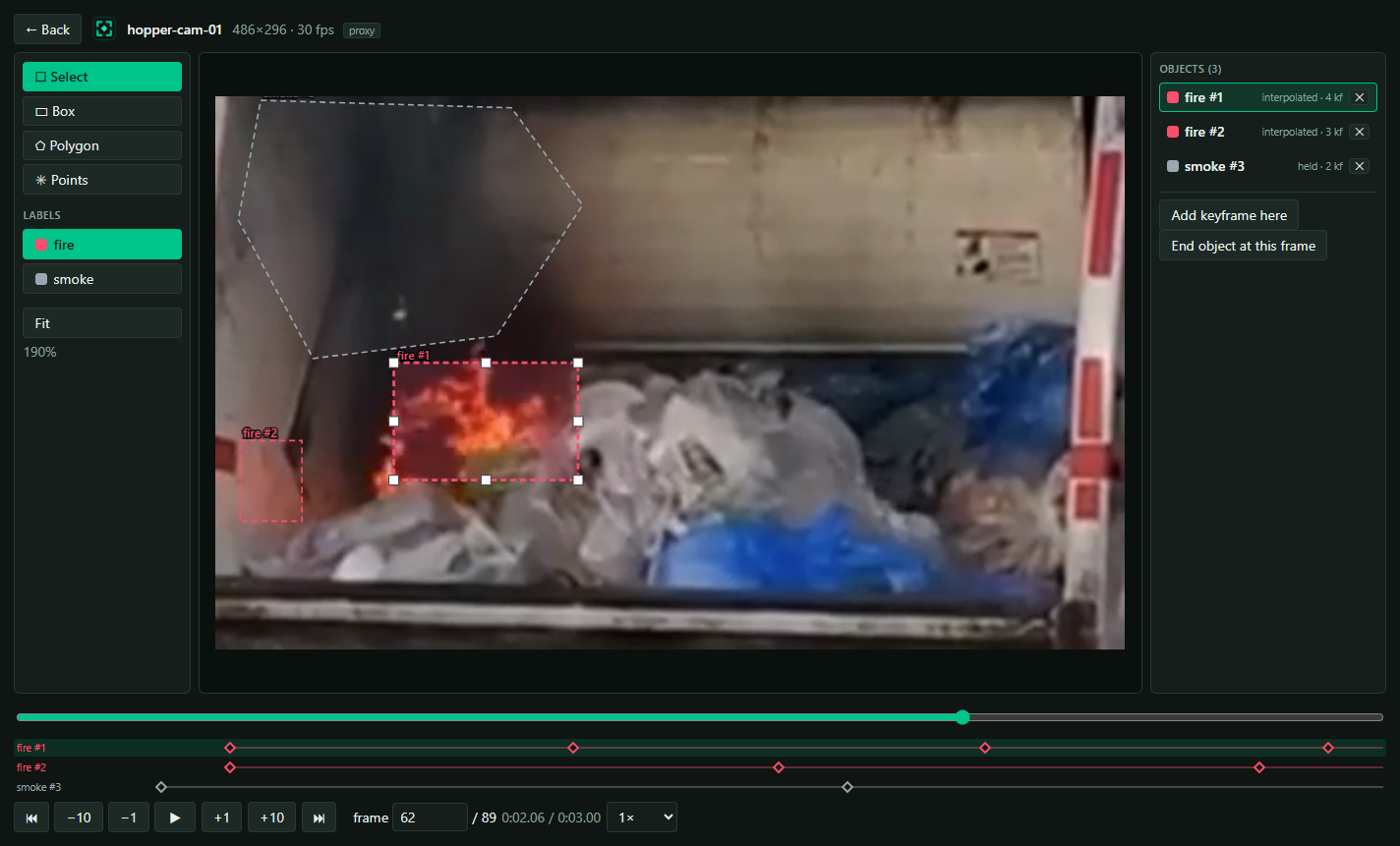
- Drag to move, eight handles to resize, drag individual polygon vertices
- Double-click an edge to insert a vertex, right-click one to remove it
- Mouse-wheel zoom, middle-drag pan, and a Fit control
- Small clips scale up automatically, so you never annotate a postage stamp
Keyboard-driven
INCLUDEDBuilt for hours of labelling, not for demos. No pre-extracting frames to a folder — import an MP4 and start.
- Space to play or pause, arrow keys to step, Shift for ten frames
- K to pin a keyframe, Delete to remove one, Esc to cancel
- Scrub, play and step frame by frame while you work
Track objects through time
The differentiator — a few keyframes cover hundreds of framesKeyframe interpolation
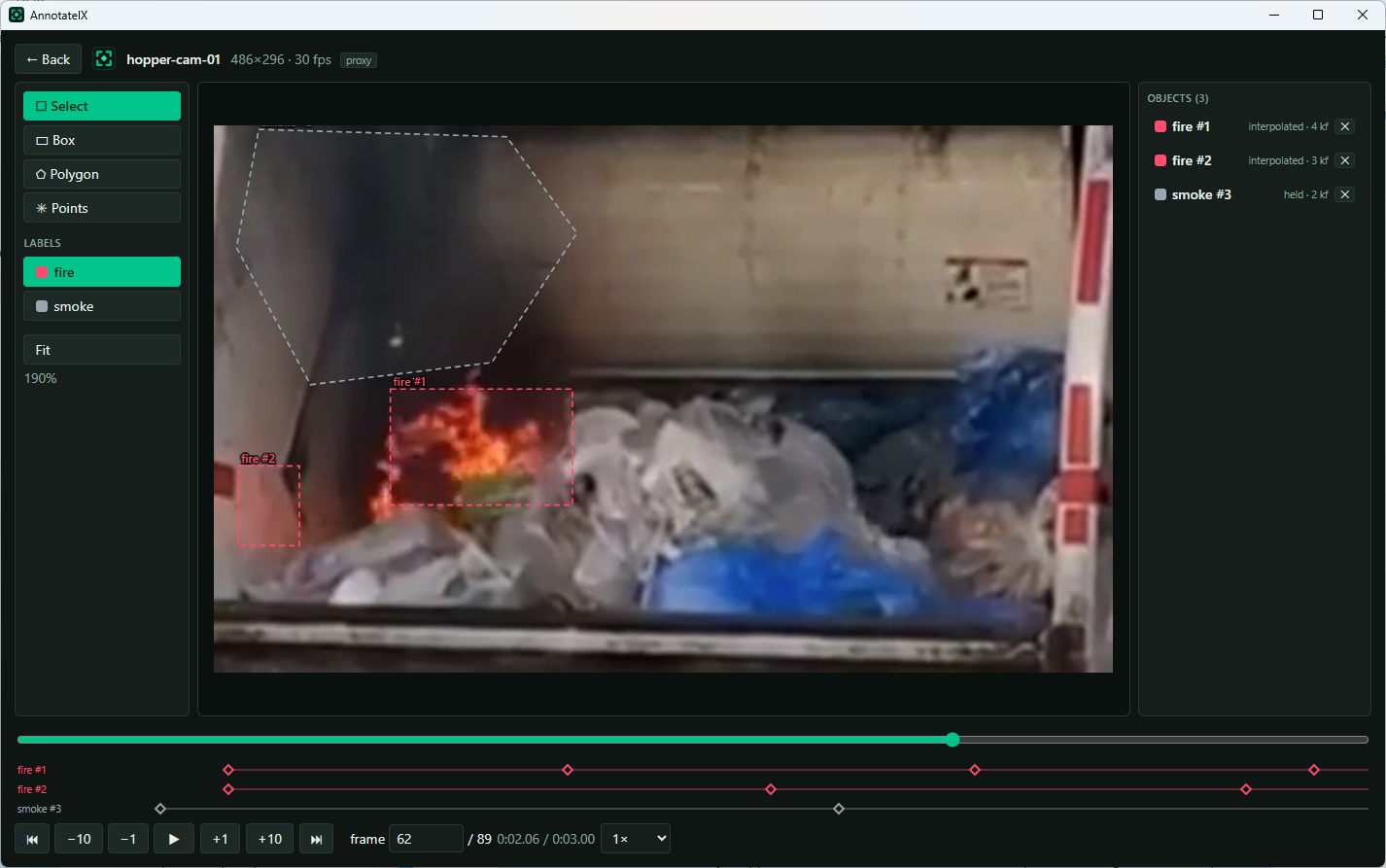
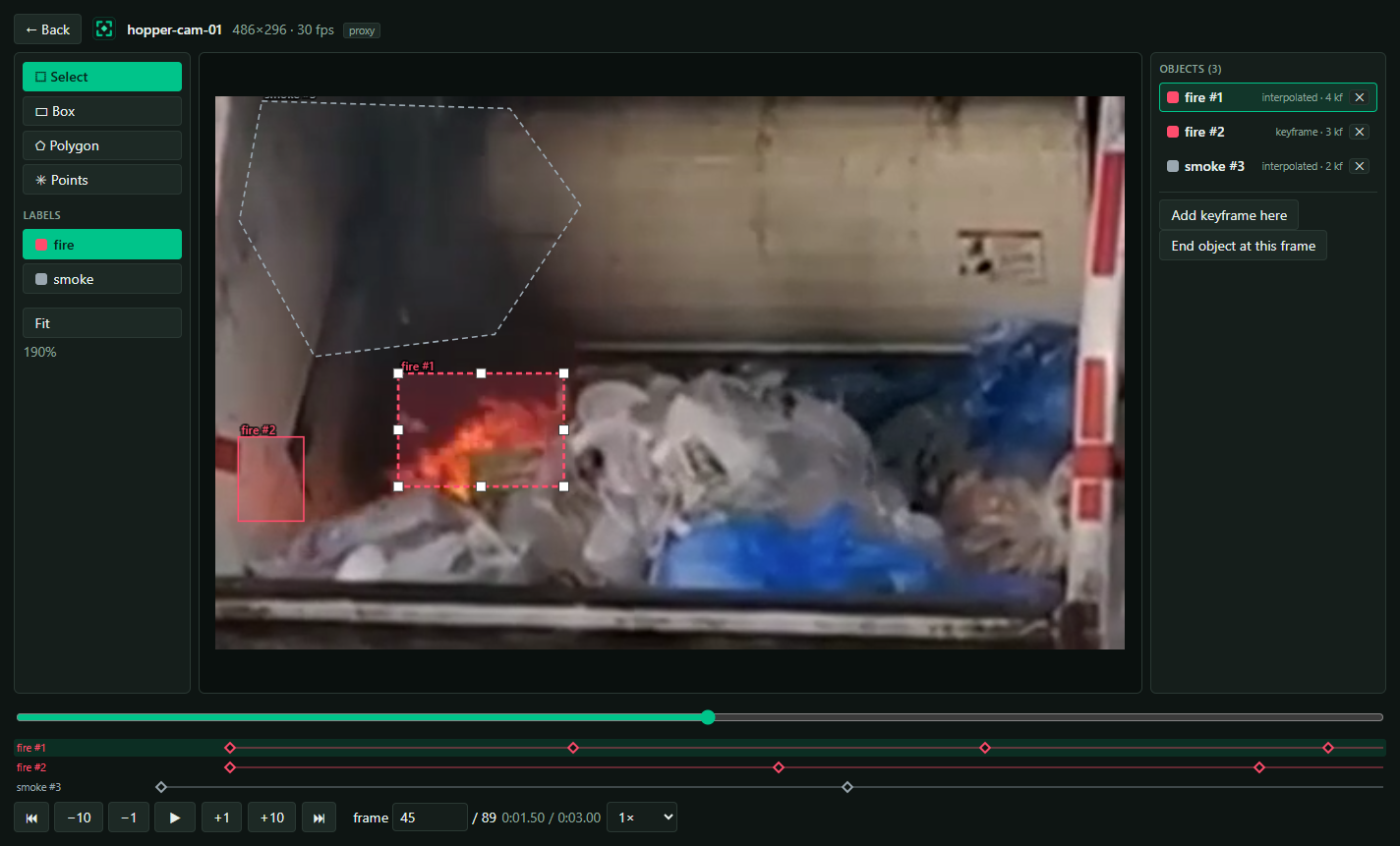
INCLUDEDMark an object where it appears, move to a later frame and adjust it — every frame between is computed automatically and smoothly.
- Label a 300-frame sequence with four keyframes instead of 300 boxes
- Interpolation is linear and entirely under your control — no model in the loop
- Add or remove a polygon vertex and the change propagates across every keyframe of that track
Object identity
INCLUDEDEach object is a track with a stable identity and label, not a pile of unrelated per-frame rectangles.
- The object panel says what you are looking at on this frame: keyframe, interpolated, or held
- Hold-forward tracking keeps an object on screen after its last keyframe, so you can refine it later
- End the track when the object leaves the scene — no ghost labels polluting the dataset
Visual timeline
INCLUDEDOne lane per object with diamond markers at every keyframe.
- Click a diamond to jump to it, right-click to delete it
- The span bar shows exactly which frames each object exists on
- Dashed outlines on the frame mean interpolated — computed, not hand-drawn
Export training data
Ready to train, correct by constructionYOLO dataset export
INCLUDEDOne click produces the standard YOLO layout that common training pipelines accept directly.
- images/train, images/val, labels/train, labels/val and data.yaml
- Point your trainer at the data.yaml and start training
- YOLO is the only export format in v1.0 — no COCO or Pascal VOC
Three task formats
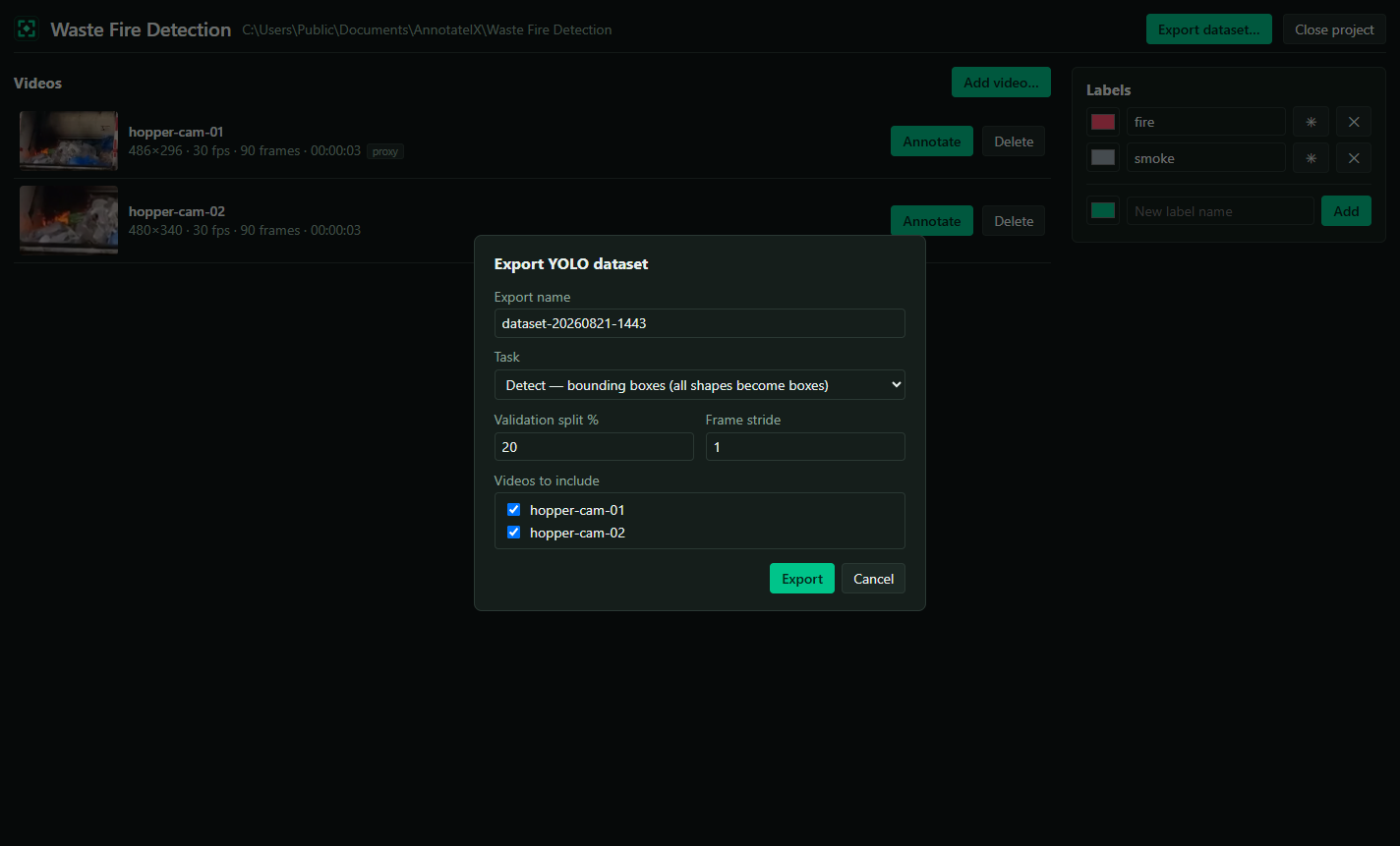
INCLUDEDDetect, segment or pose — chosen at export time, from the same annotations.
- Detect — class cx cy w h; every shape becomes a bounding box
- Segment — polygon outlines; boxes are emitted as rectangles
- Pose — with kpt_shape and flip_idx written into data.yaml
Frames extracted for you
INCLUDEDExport writes real JPG frames next to their label files, with matching filenames. The source video is never needed downstream.
- The dataset folder is self-contained — zip it and send it anywhere
- Choose which videos to include, set the train/validation split, apply a frame stride
- Progress reported per frame, and the export can be cancelled
Built to be trustworthy
The parts you shouldn’t have to think aboutFrame-accurate, and proven
INCLUDEDCoordinates are normalised, clamped to the image, written with six decimals in invariant culture, and degenerate shapes are skipped rather than exported as garbage.
- The player and the exporter seek differently on purpose, and both resolve to the same frame
- An automated test proves it end to end against a colour-coded video on every build
- Frames and labels are written in the same pass, from the same math
Any video format
INCLUDEDImport MP4, MOV, MKV, AVI or WebM. Awkward codecs and variable frame rates are handled on import, without you thinking about it.
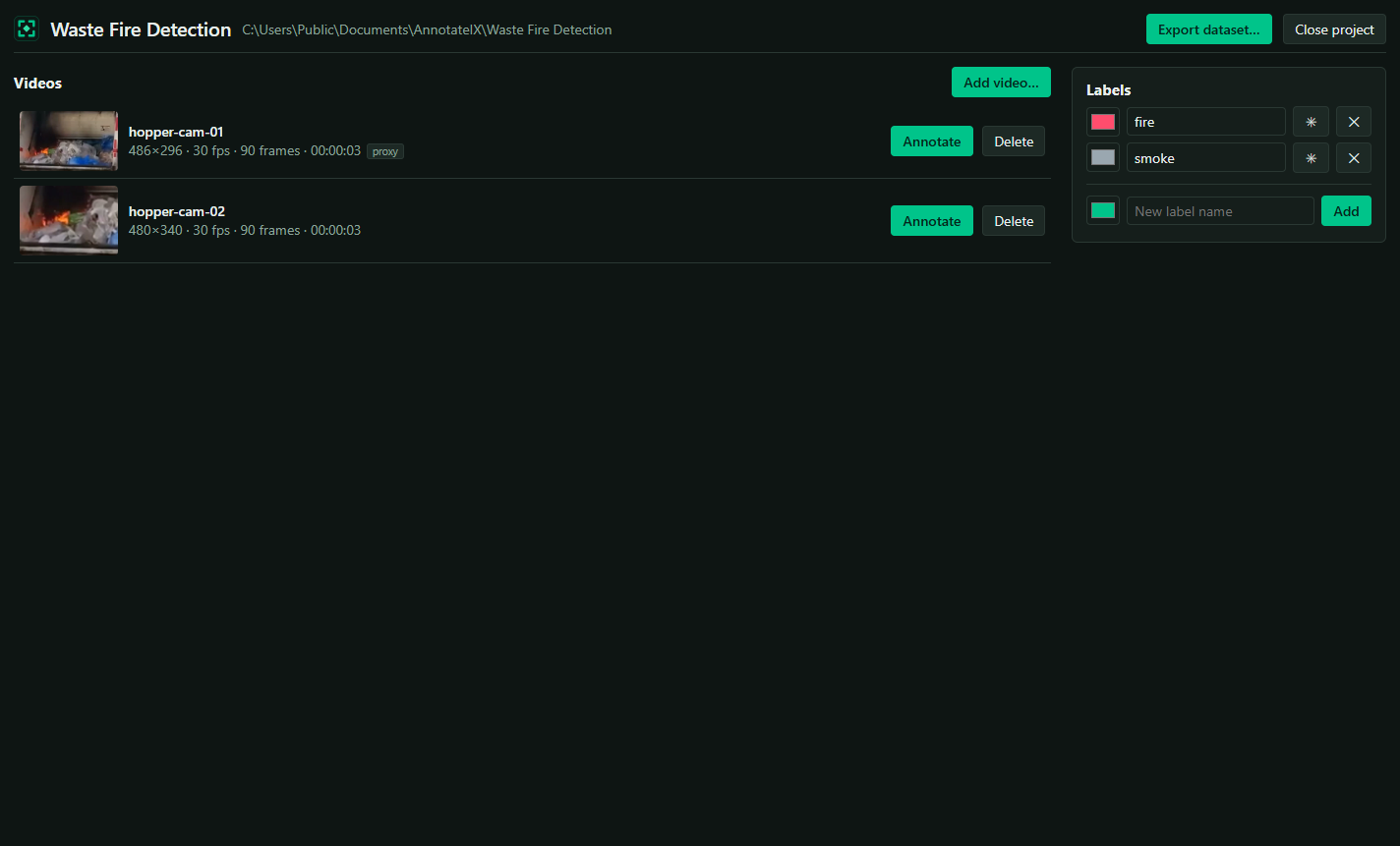
- A constant-frame-rate H.264 proxy is generated inside the project when needed
- Annotation and export both use that file, so frame numbers always line up
- ffmpeg is bundled — no Python environment, no Docker, no CUDA
Self-contained projects
INCLUDEDA project is an ordinary folder: a SQLite database plus its media. No hidden state, no proprietary bundle, no lock-in.
- Move it, back it up, or put it on a network share
- Add more videos any time and re-export; each export is a fresh snapshot
- One database per project, coordinates stored as compact JSON
Runs locally
Your footage never leaves the machine
Everything runs on your desktop. Footage is never uploaded, no account is required, and once your licence is activated it works with no internet connection at all — which matters when the video is a customer site, a factory floor, or anything under NDA.
One licence, no subscription
Try it on your own footage, then licence the machine you work on. No per-seat cloud pricing, and no account either way.
Trial
$0 14 days
Every feature on your own video: all three annotation types, keyframe interpolation, and a full YOLO export.
Download for WindowsLicensed
$99 CAD per licence, per year
Unlimited projects, videos and exports, on your machine, for good. One licence activates on a single device; deactivate it to move the licence to another machine.
Buy nowNo per-seat cloud fees. Renew annually to keep receiving updates; if you do not, you keep the newest version published during your term.
| In v1.0 | Included |
|---|---|
| Bounding boxes, polygons and keypoints | Yes |
| Keyframe interpolation and hold-forward tracking | Yes |
| YOLO export — detect, segment and pose | Yes |
| Frames extracted alongside label files | Yes |
| Train/validation split and frame stride | Yes |
| Automatic constant-frame-rate proxy on import | Yes |
| Projects, videos and exports | Unlimited |
| Works fully offline, footage never uploaded | Yes |
| COCO and Pascal VOC export | — |
| Undo / redo | — |
| Model-assisted pre-labelling | — |
| macOS, Linux or browser edition | — |
No account needed
Nothing to sign up for. Download it, point it at a video, and start labelling.
Your projects are yours
Projects are ordinary folders on disk, so nothing is locked away when a trial ends.
No subscription
One local app instead of per-seat cloud annotation fees.
Technical specifications
- Platform
- Windows 10 and Windows 11, 64-bit.
- Runtime
- Self-contained — no .NET install required.
- Dependencies
- WebView2 runtime, which ships with Windows 11. ffmpeg is bundled.
- Input formats
- MP4, M4V, WebM, MOV, MKV and AVI, auto-proxied to constant-frame-rate H.264 when a codec or a variable frame rate would break frame indexing.
- Annotation types
- Bounding box, polygon and keypoints, in the same project on the same video.
- Export formats
- YOLO — detect, segment and pose. YOLO only in v1.0; no COCO or Pascal VOC.
- Export layout
- images/train, images/val, labels/train, labels/val and data.yaml, with real JPG frames written next to matching label files.
- Coordinates
- Native video pixels, stored as compact JSON. Normalised to [0,1] and clamped on export, written with six decimals in invariant culture.
- Frame accuracy
- index = round(time × fps). The player and the exporter seek differently on purpose and both resolve to the same frame; an automated test proves it on every build.
- Storage
- SQLite, one database per project. A project is an ordinary folder you can move, back up or share.
- Offline
- Fully functional with no network connection. Footage is never uploaded and no account is required.
- Built with
- .NET 10, Blazor, WPF, EF Core and ffmpeg — a native desktop app with a WebView2-hosted UI.
Questions prospects actually ask
Do I have to annotate every frame?
No — that is the whole point. Annotate an object where it appears and again where it has moved; every frame between is interpolated. A few keyframes typically cover hundreds of frames.
What do I actually do with the export?
Point your training run at the data.yaml: yolo detect train data=path/to/data.yaml model=yolo11n.pt epochs=100. Use yolo segment train or yolo pose train for the other task types.
Do I need to send the video with the exported dataset?
No. Export writes the frames as images alongside their label files. The dataset folder is everything a training run needs.
Does my footage get uploaded anywhere?
Never. AnnotateIX runs entirely locally and works offline.
What if my video is an unusual codec or a variable frame rate?
AnnotateIX detects it on import and generates a constant-frame-rate H.264 proxy inside the project. Annotation and export both use that file, so frame numbers always line up.
Is there a Mac or Linux version?
Not today. The annotation UI is built as a portable web component, so a browser-hosted version is the natural next step.
What is not in v1.0?
Undo/redo, AI-assisted or automatic tracking, COCO and Pascal VOC export, multi-user collaboration, multi-select, and macOS, Linux or web editions. Interpolation is linear and manual — there is no model in the loop. Several of these are on the roadmap, where customer votes set the order.
Your footage is already a dataset
Every feature, on your own video, on your own machine.